The customer health score turned red.
Customer success saw it. Product saw it. Leadership saw it. Then the product kept showing the same empty dashboard, the same upgrade prompt, the same onboarding state, and the same help link to the account that was quietly drifting away.
Short answer: churn risk is useful only when it maps to a product response. A good risk row names the signal, account cohort, surface, allowed response, guardrail, and escalation owner before renewal risk becomes a rescue mission.
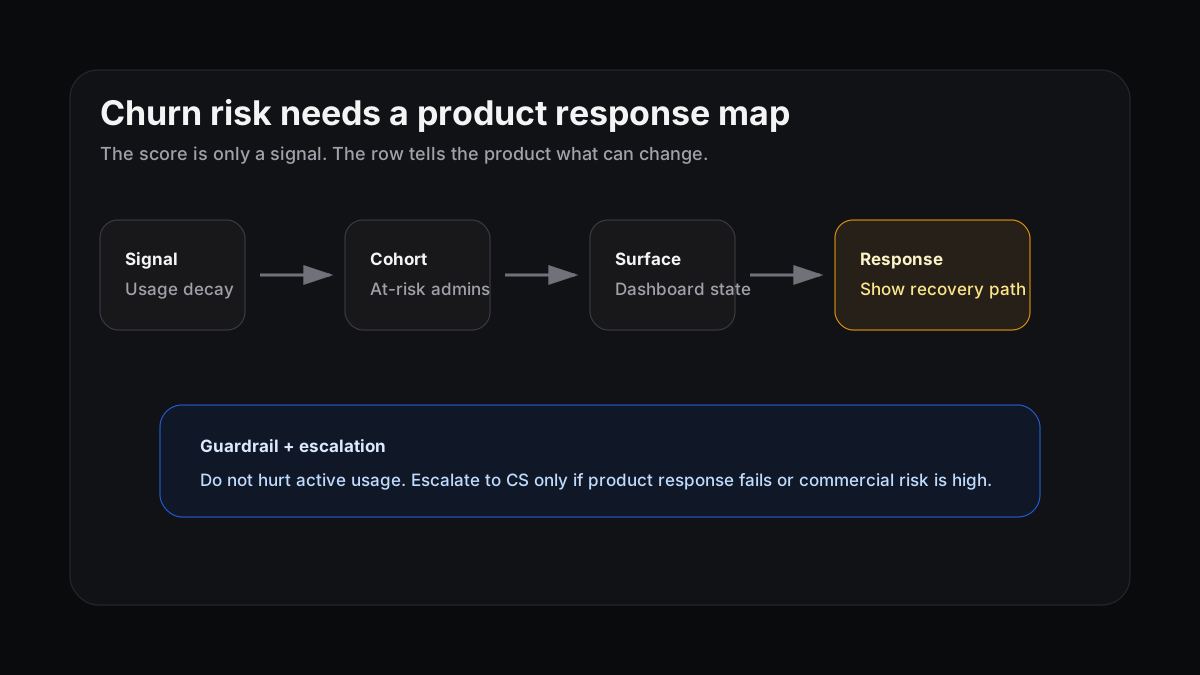
The score says risk exists. The response map says what the product can do about it.
A health score is not a response
Gainsight describes customer health scores as predictive metrics for renewal, expansion, or churn. ChurnZero makes the same practical point: useful scores combine product usage, support history, service utilization, loyalty, and qualitative risk.
That is a good signal layer. It is not the product layer.
A red account can still contain different user states. Admins may have stopped inviting teammates. Viewers may still read reports. A champion may have left. A new stakeholder may be stuck in setup. If the score only triggers a CSM task, the product keeps treating those users as if nothing changed.
Amplitude calls out this blind spot in churn prediction: green accounts can churn when teams miss usage, sentiment, feedback, and behavior shifts. The warning signs were there. The problem is that the signs did not become a clear next move.
Three churn-risk shapes need different product moves
Do not route every risky account to the same email sequence or generic “need help?” banner. Start with the shape of the risk.
| Risk shape | Signal | Better product response |
|---|---|---|
| Usage decay | Key users stop returning to the value event | Show a recovery path on the surface they used to rely on |
| Value stall | Setup is complete, but the account never repeats the value action | Replace generic empty states with role-specific templates |
| Stakeholder drift | Admin or champion activity falls while passive usage stays flat | Guide the next active stakeholder toward ownership transfer |
PostHog’s churn tutorial shows why this has to be behavior-specific. Product-usage churn can be investigated with retention charts, lifecycle states, cohorts, actions, and session recordings. The dormant users matter, but so does what they did before going dormant.
Write the response row before the account goes red
A practical churn-risk row looks like this:
| Field | Example |
|---|---|
| Signal | Workspace has no shared report for 14 days after connector setup |
| Cohort | Trial admins from integration pages |
| Surface | Dashboard empty state |
| Response | Show a prebuilt report template tied to their connector |
| Guardrail | No increase in setup exits or support tickets |
| Escalation | Alert CS if no report is shared after 48 hours |
The order matters. Product response first, escalation second.
If the product can help the user reach value, do that while the behavior is still happening. If the account keeps drifting, then CS has better context: which surface failed, which response ran, what the user did next, and whether the account needs a human save.
Keep the retention definition close to value
Mixpanel’s retention analysis guidance starts with a simple requirement: define the action that means a user actually returned to value. That is the right discipline for churn risk too.
A login is rarely enough. A page view is rarely enough. For a B2B SaaS product, risk should usually connect to the recurring behavior that proves the account still depends on the product: reports shared, workflows completed, exports created, tickets resolved, teammates invited, or whatever the product’s real value event is.
This connects to time to value and activation metrics. The first value moment matters, but churn prevention depends on whether the account keeps repeating that value.
Where Rayform fits
Rayform sits between trusted behavioral telemetry and approved UI responses. Your analytics, CS, and warehouse tools can keep scoring health and retention risk. Rayform helps the product react when a known cohort hits a known risk state.
That reaction should be narrow. One signal. One surface. One response. One guardrail. If the response works, keep measuring it. If it fails, escalate with context instead of sending CS a vague red score.
Try this this week: pick one churn-risk signal from your health dashboard and write the response row. If the product cannot do anything different for that account state, you do not have churn prevention yet. You have a warning light.
See how Rayform turns behavioral signals into runtime UI changes.