A new account signs up. The admin needs to invite teammates. The analyst needs sample data. The invited teammate needs one useful task, not the full setup checklist.
The product gives all three people the same onboarding path.
That is how role-based onboarding turns into a nicer-looking version of the same old checklist.
Short answer: role-based onboarding only works when the role is paired with behavior. A good onboarding rule names the user role, current state, product surface, allowed response, and guardrail. If it only says “show this flow to admins,” it is still too blunt.
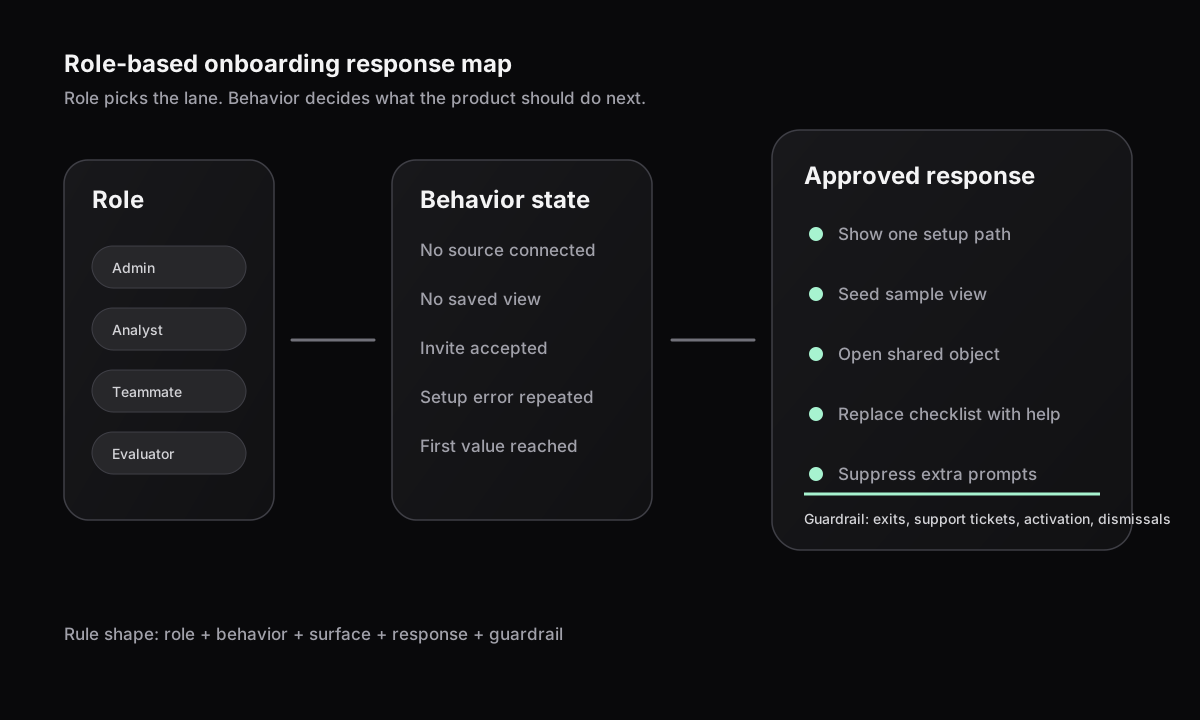
Role picks the lane. Behavior decides the next product response.
Role is useful, but it is not enough
Appcues’ guide to user onboarding best practices frames onboarding as the full journey from signup to repeatable value, not a one-time tour. It also calls out segmented flows for different roles, use cases, company sizes, and experience levels.
That segmentation is a good start. The trap is treating the segment as the whole decision.
An admin who invited three teammates is in a different state from an admin who has not connected the first data source. A viewer who opened the dashboard twice is different from a viewer who has not accepted the invite. Same role label. Different product problem.
Pair role with behavior
Pendo’s writing on personalizing product onboarding recommends using segments and analytics to compare feature usage by role, then adjust which guides appear on which page. That is the right operating model: look at the role, then check what the user actually did.
A role-based response map can stay small:
| Role and state | Better onboarding response |
|---|---|
| Admin created workspace, no data connected | Show the shortest setup path for the most common source |
| Analyst opened dashboard, no saved view | Seed a sample view and ask for one metric choice |
| Invited teammate accepted invite | Route to the first shared object, not account setup |
| Evaluator hit setup error twice | Replace the checklist with contextual help for that step |
| Power user completed first value | Suppress onboarding and introduce the next relevant workflow later |
The last row matters. Personalization is not always more prompts. Sometimes the correct response is silence.
Write the response row before building the flow
Before adding another onboarding branch, write one sentence:
When a user with this role shows this behavior on this surface, show this response, unless this guardrail gets worse.
Example:
When a workspace admin fails data-source setup twice before inviting teammates, replace the generic checklist on the setup page with one recommended source and a short troubleshooting path, unless setup exits or support tickets rise.
That sentence prevents two bad defaults. It stops the team from building a giant persona journey. It also stops the team from pretending one role label tells the whole story.
Where Rayform fits
User onboarding tools can build flows. Product analytics tools can show where roles drop off. The hard part is the handoff between those two systems: deciding what the product should do for the next user in that exact state.
Rayform sits in that middle layer. It reads trusted behavior from the analytics stack and applies approved runtime UI responses for specific cohorts, surfaces, and guardrails. The response can be small: hide a checklist item, swap an empty state, show a role-specific example, delay a prompt, or route a teammate straight to the shared object.
Role-based onboarding should not mean maintaining five static tours. It should mean the product knows which job the user came to do, sees where they are stuck, and changes the next step before another team has to file a ticket.
Related reading: onboarding checklists measure completion, not activation, time to value is a product signal, and free trial conversion needs product responses.